



Easy Arrows
The fastest way to auto-orient graphics to a path in After Effects.
What’s the most natural way to draw attention to something? Point to it! Until now, creating a basic animated arrow in After Effects required complex expressions and parenting, which were tedious to setup and equally frustrating to duplicate.
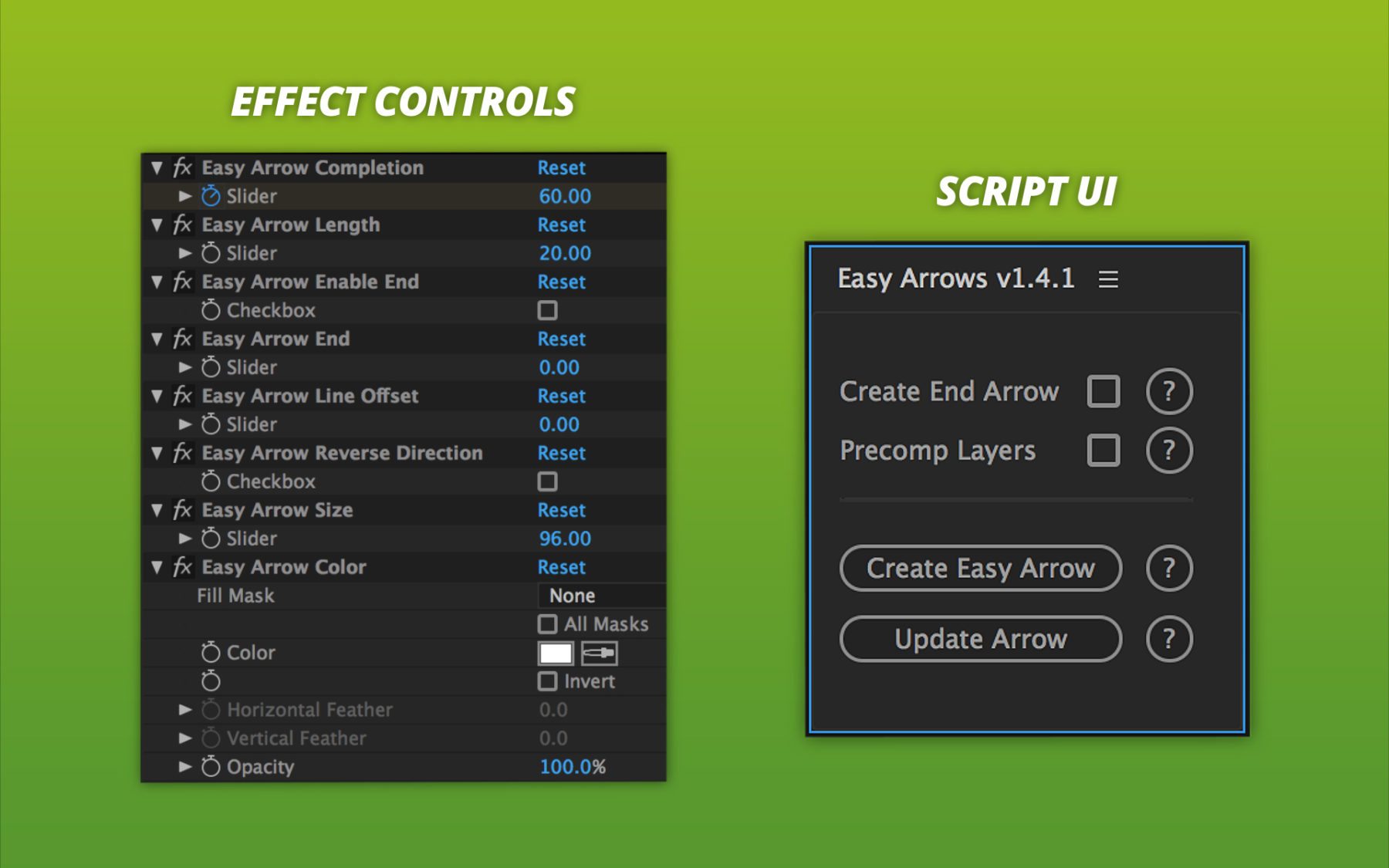
With Easy Arrows, you can create a flexible auto-orienting setup in just 1 click! Just draw a path and click “Create Easy Arrow”. That’s literally less than 5 seconds. Now you can focus on more important things, like actually animating.
With Easy Arrows, you can:
- Use built-in arrows or custom graphics & compositions.
- Easily update your path after running the script.
- Control styling of the stroke, however you like.
- Quickly change color & size of entire setup.
- Precomp for easy duplication.
Download today and start saving time for the things that matter.
Includes:
- Script (.jsx) file for After Effects
- User Guide

https://vimeo.com/190285068
Additional information
| Tested with | CS5.5, CS6, CC, CC14, CC15, CC17, CC18 |
|---|---|
| January 16, 2017 | Fixed issue on 59.94 framerate. Fixed issue when running the script with the Shape Layer path hidden. |
| October 29, 2016 | Added width & color adjustments in effect controls. Added precomp checkbox for easy duplication. Fixed alignment issues on foreign language versions of After Effects. Minor UI improvements. |
| May 2, 2015 | New effect controls to lock and control the end point of your stroke. Can now 'Update Easy Arrow' with 'Default Tail' after the script has been run. Fixed bug when using Undo. Fixed arrow glitch when taking sharp turns. |
| April 26, 2015 | Now using Shape Layers instead of Masks. Fixed several bugs. |
| February 23, 2015 | First launched. |
-
Sale
Speed Lines
After Effects ScriptsOriginal price was: $29.95.$14.95Current price is: $14.95.The fastest way to attach strokes to your animations in After Effects.
Link as many Shape Layer paths to your moving object in just 1 click! Seriously, it’s this simple: select your animated layer, then click "Create Speed Lines". That's literally less than 5 seconds.- Attach strokes (any amount) to your animation, even when using other scripts & expressions.
- Control the styling of the strokes, however you like.
- Easily update settings, even after the script has run.
Includes:
- Script (.jsx) file for After Effects
- User Guide